

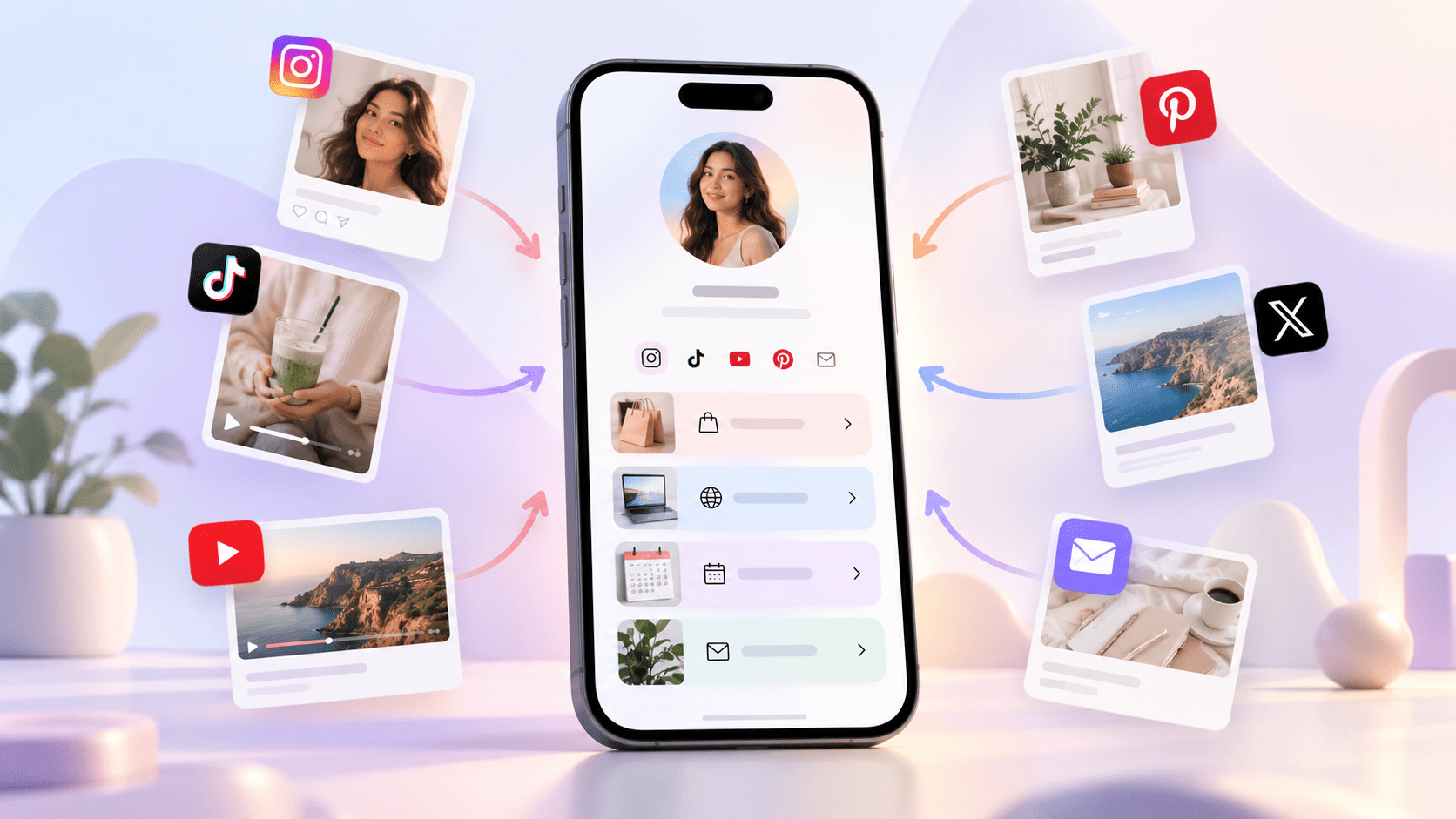
A mobile link in bio page showing social media links, content cards, and clickable actions in one simple profile.
If you use Instagram, TikTok, YouTube, Facebook, X, LinkedIn or any other social media platform, you may have seen people write “link in bio” in their posts, captions or videos.
For example, a creator may say:
“Download my free guide. Link in bio.”
A small business may write:
“Shop the latest collection. Link in bio.”
A YouTuber may say:
“Join my newsletter from the link in bio.”
But what does link in bio actually mean?
In very simple words, link in bio means the clickable link added inside your social media profile bio section. This link helps people move from your social media profile to another page, website, product, form, video, store or offer.
Your social media post may get attention, but your bio link helps turn that attention into action.
What Is a Bio on Social Media?
Before understanding “link in bio”, let’s first understand what a bio is.
A bio is a short profile section on your social media account. It tells people who you are, what you do, and why they should follow or contact you.
Your bio can include:
Your name or brand name
Your work or business details
A short description
Contact details
Location
Call-to-action
A website or bio link
On platforms like Instagram and TikTok, the bio area is very important because it is one of the first things people see when they visit your profile.
If your profile is your digital identity, your bio is your short introduction.
What Does “Link in Bio” Mean?
Link in bio means the link placed in the bio section of a social media profile.
When someone says “check the link in bio”, they are asking you to visit their profile and click the link added there.
This link can take you to:
A website
A product page
A YouTube video
A booking page
A WhatsApp chat
A newsletter signup page
A payment page
A portfolio
A blog post
A bio link page with many links
For example, if a clothing brand posts a reel about a new dress, the caption may say:
“Shop this look from the link in bio.”
That means the buying link is not inside the caption. It is available in the brand’s profile bio.
Why Do People Use “Link in Bio”?
People use “link in bio” because many social media platforms do not allow clickable links inside normal post captions.
For example, on Instagram, if you add a website link in the caption, people cannot click it directly. They may need to copy and paste it manually, which most users will not do.
So instead of adding long links in every post, creators and businesses add one main link in their profile bio. Then they tell users:
“Link in bio.”
This makes the process simple.
People see the content, visit the profile, click the bio link, and reach the right page.
Why Is Link in Bio Important?
A social media profile can get views, likes, comments and followers. But if you want real results, you need clicks.
A link in bio helps convert visitors into:
Customers
Leads
Subscribers
Followers on other platforms
Community members
Website visitors
Buyers
Clients
Without a proper bio link, people may like your content but leave without taking any action.
A good bio link gives them a clear next step.
Example of Link in Bio
Let’s say you are a fitness coach.
Your Instagram bio may look like this:
Rahul Fitness Coach
Helping busy people lose weight with simple home workouts.
Book your free fitness consultation below.
lnkin.bio/rahulfitness
Here, the last line is the link in bio.
When someone clicks it, they may see:
Book Free Consultation
View Workout Plans
Join WhatsApp Group
Watch Latest YouTube Video
Read Client Results
This makes your profile more useful and action-focused.
What Is a Bio Link Page?
A bio link page is a simple landing page that holds multiple important links in one place.
Instead of changing your Instagram or TikTok bio link again and again, you can add one bio link page. Then you can manage all your links from that one page.
A bio link page may include:
Your profile photo
Your name or brand name
Your short bio
Social media icons
Main links
Product links
Contact buttons
WhatsApp button
Videos
Offers
Lead forms
Analytics
This is helpful because one social media bio usually allows limited space. A bio link page gives you more control.
Link in Bio for Creators
Creators use link in bio to send their audience to important content.
For creators, a link in bio can be used for:
Latest YouTube video
Instagram page
Collaboration enquiry
Brand partnership form
Digital products
Course link
Newsletter signup
Community link
Affiliate products
For example, a food creator may post a reel and say:
“Full recipe is available from the link in bio.”
A fashion creator may say:
“Outfit details are in my link in bio.”
A creator’s bio link works like a small home page for their online presence.
Link in Bio for Businesses
Businesses use link in bio to generate leads, sales and enquiries.
For a business, a bio link page can include:
Shop Now
View Products
Book Appointment
Contact on WhatsApp
View Services
Customer Reviews
Location
Offers
Payment Link
For example, a bakery can add:
Order Cakes
View Menu
WhatsApp Us
Birthday Cake Gallery
Store Location
This helps customers take action quickly.
Link in Bio for Personal Brands
Personal brands also need a clean bio link.
If you are a consultant, speaker, freelancer, coach, CA, lawyer, designer, marketer or educator, your link in bio can show your best links in one place.
You can add:
About Me
Book a Call
View Portfolio
Read Blog
Download Free Guide
Join Newsletter
Contact Me
This makes your profile look professional and trustworthy.
How to Add a Link in Bio
Adding a link in bio is simple.
The steps are usually like this:
Open your social media profile
Go to Edit Profile
Find the Website or Bio Link field
Paste your link
Save changes
Now anyone who visits your profile can click that link.
You can add a normal website link, or you can add a bio link page link.
For better results, a bio link page is usually more useful because it gives visitors more options without confusing them.
What Should You Add to Your Link in Bio?
Your link in bio should not be random. It should have a clear purpose.
Add links that help your visitors take action.
Good links include:
Your main offer
Your best product
Your contact page
Your WhatsApp link
Your latest video
Your free guide
Your booking page
Your services page
Your store link
Your portfolio
Do not add too many links. If you add everything, people may get confused.
A simple bio link page with 4 to 7 important links is often better than a page with 20 random links.
Best Practices for Link in Bio
A good link in bio should be simple, clear and mobile-friendly.
Most people will open your link from a mobile phone, so the page should load fast and look clean.
Follow these tips:
1. Keep Your Bio Page Clean
Do not make it crowded. Use proper spacing and short text.
2. Use Clear Button Text
Do not write vague words like “Click Here” or “More Info”.
Use clear button text like:
Shop Now
Book a Free Call
Watch Latest Video
Join WhatsApp Group
Download Free Guide
View Services
3. Put the Most Important Link First
Your top link gets the most attention. Put your main action at the top.
4. Add Trust Elements
If you have reviews, testimonials, client results or portfolio work, add them.
Trust helps people click.
5. Track Your Clicks
Use a bio link tool that shows analytics. This helps you understand which links people click the most.
Common Mistakes People Make
Many people add a link in bio, but they do not get clicks because the page is not clear.
Avoid these mistakes:
Adding too many links
Using unclear button text
Not adding a main call-to-action
Sending people to a slow page
Not updating old links
Not checking link clicks
Using a messy design
Making the page hard to read on mobile
Your bio link should make things easier for visitors, not harder.
Is Link in Bio Only for Instagram?
No. The term became popular on Instagram, but now it is used across many platforms.
You can use link in bio on:
Instagram
TikTok
YouTube
Facebook
X
LinkedIn
Pinterest
Snapchat
Threads
Anywhere you have a profile bio, you can use a bio link.
Why a Bio Link Page Is Better Than One Website Link
If you add only your website homepage, people may not know where to go next.
But if you add a bio link page, you can guide them directly.
For example:
Instead of sending visitors only to your homepage, you can show:
Start Here
Shop Products
Book a Call
Read Latest Blog
Contact on WhatsApp
This saves time and improves clicks.
Final Thoughts
“Link in bio” is a simple phrase, but it plays a big role in social media marketing.
It means the clickable link in your profile bio. This link helps your audience move from your social media content to your important pages, products, offers, videos, forms or contact options.
For creators, it helps grow audience and income.
For businesses, it helps get leads and sales.
For personal brands, it helps build trust and professional identity.
A good link in bio should be clean, clear, mobile-friendly and focused on action. It should not confuse people. It should guide them.
If your social media profile gets visitors, your bio link should help turn those visitors into real results.
FAQs
What does link in bio mean?
Link in bio means the clickable link added in the bio section of a social media profile.
Where is the link in bio?
It is usually found on a person’s or brand’s profile page, below their bio or profile description.
Why do people say link in bio?
People say link in bio because many social media captions do not allow clickable links. So they ask users to visit the profile and click the bio link.
Can I add more than one link in bio?
Some platforms allow only one link. To add many links, you can use a bio link page.
Who should use a link in bio?
Creators, businesses, freelancers, coaches, consultants, personal brands and anyone who wants to guide social media visitors to important links can use it.